Dolcy D’Cruz
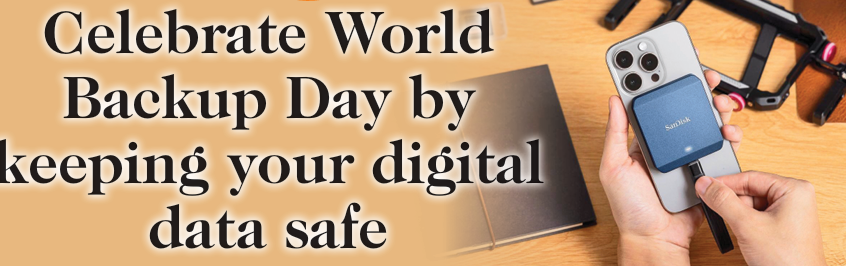
How heartbroken have you felt when your phone crashed and you lost all those years of photographs? Those milestones in your life, the first day at your job, the video of your baby’s first steps or the last photo you clicked with your grandma. These precious moments have to be backed up and there is a day to remind you of that. World Backup Day is observed every year on March 31 to encourage individuals and organizations to protect their digital data by taking regular backups. Started in 2011 by Ismail Jadun and other digital safety advocates, the day highlights the risks of data loss due to accidents, cyberattacks, or hardware failures. On this day, people are encouraged to store copies of important data on cloud services, external drives, or both, and to develop better data protection habits, recognizing that valuable data can be easily lost but also easily safeguarded with regular backups. Co-founder/partner of Uzoorba Technologies, a Goa-based IT consultancy, Chorao-based Vincent Paul Toscano is an IT professional. He has over 25 years of experience in the global IT industry. “For someone, whatever data they have on my phone is like priceless. I connect the phone to the laptop and external hard drive to it and then I backup, whatever folders are important for me after every few months. Additionally, it is essential to sync contacts and phone books to cloud accounts like Gmail to prevent data loss, a step many people often overlook,” says Vincent. He further adds, “Another way is then pushing things to the cloud. Google Drive provides some 30 GB, then they can use. To avoid cost and it’s common practice among most people to have multiple Gmail accounts. You can create multiple accounts on Google and push important data to that because for example, your external drive can get corrupted over time. If you are using SSD (Solid State Drives), which are the later ones, which are high speed ones, they need to be connected every few months for it to maintain its state. Otherwise, there’s a possibility that the data inside could fade over time. It’s not permanent. The advantage is you do not have the risk of a mechanical failure that can possibly happen with an older hard disk drive. Online cloud is definitely better and safer for critical things. But always better to also have something offline if it is affordable for a person. Backup is a necessity.
But at the same time, do not backup everything because you will be simply wasting space.” How regularly should the backup be done? If somebody is backing Google photos, you can set the frequency on a daily basis, saving you from doing one bulk heavy upload. Incremental backups happen without disturbing the user experience of a device. Depending on how much data someone is generating, it would be recommended to do it once a month or once a quarter. As Vincent works on archiving music and bringing new voices in Konkani to the fore, he also saves his data systematically. “I save one copy on my laptop itself and a cloud copy too. One exists in the application or app that I use to create my music. For the final produced tracks, I put them up on my Google Drive. They also get published to YouTube, so, I end up with almost like five places where my critical files exist,” he explains. Speaking about backup for organisations, he informs, “Organisations typically maintain backups in multiple stages. For example, backups from the last week are considered hot backups, which can be restored at any time. Older data is then moved from the production server or cloud service, such as Google Drive, to a backup drive or another storage space. Data older than one month (or another defined timeframe) is often archived offline on optical disks or hard drives. This staggered approach prevents wasting premium cloud storage on multi-year-old data while ensuring that backups are prioritized, available, and secure. Cloud resources and access control should be centralized at the organizational level. Critical accounts and storage should not reside on personal devices; they must be linked to a designated owner with a recovery email and phone number. Organisational accounts, such as YouTube channels, Instagram, or other social media, should be managed by a single authority within the IT department with clearly defined processes. Centralized control is especially important when employees leave, as disgruntled individuals could delete or compromise data.” Edwin Vaz is an engineer, and regularly uses networks and e-commerce in his work. “There is no better safer way by storing your data on an independent device.
That device needs to be detached from the net. It does help by keeping it in cloud or keeping it in some other electronic life storage, because you get an element of accessibility from anywhere and everywhere, and it is definitely not possible to carry your private storage devices. Now in the last one year, there is a huge question mark of storage online or on a cloud. Right now there is a serious allegation across the globe that the data cables across the ocean underneath from one continent to another, are under serious threat because of these wars. Matters concerning finance, people, transactions, has to be kept online but a separate database. Date, time and source point and exit point has to be kept on a separate independent platform. It has to be double copies. Secondly, there is a great element of optimism that any device you are holding, matching parity of interpretability of data devices should be available,” explains Edwin. He further adds, “You need to create a kind of a referral indexing and it has to remain in handwritten or typed print form.
You never know what the future holds, and unforeseen accidents or emergencies could suddenly disrupt your life, the other people who are more dependent on your networking base, they should be able to access data which needs to get indexed and experts should be able to read it.” An IT professional who always emphasises the need for robust technical security measures and proper access controls to prevent data leaks, Panjim-based Yash Ganthe works in Verna. “I personally follow the practice of maintaining all my important data on the cloud. I use services like Google Drive or OneDrive, which need to be purchased if you want to store large amounts of data. Personal files, such as Excel sheets, bank account information, or other important documents, should ideally be stored on your PC and synchronized with these cloud services. This way, if something happens to your PC, your data is safe and can be easily recovered on a new device. The same approach applies to phone data—you simply point the cloud service to the relevant folder, and it keeps synchronizing automatically every few minutes. External storage devices are susceptible to failure, and there is a significant risk of losing data if a hard drive crashes, the PC fails, or components like the motherboard malfunction.
For these reasons, online backups are always recommended for reliable data protection,” says Yash. Yash also throws light on how to keep your data private and secure, “My suggestion is when you save something like passwords, always encrypt those passwords when saving. You should modify them or as I call it mangling. So, you just mangle the passwords and only you know how to demangle it. Credentials should ideally be kept in a mangled way.”